


OpenSnap

A screenshot tool that feels like part of the screen

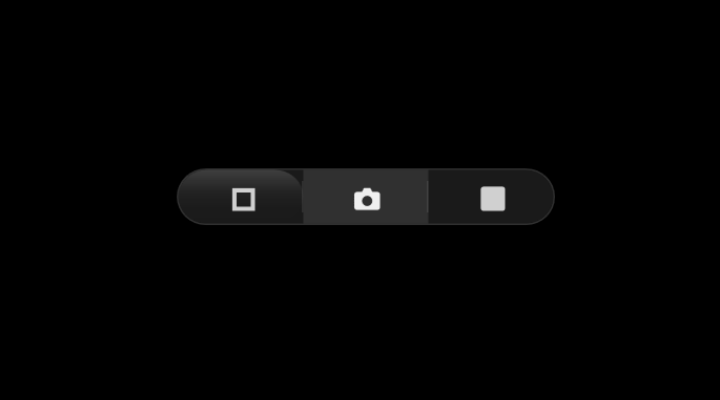
240 × 36 px floating glass capsule. One click, saved and copied. No login, no cloud, no telemetry.

Windows 10 / 11  ·  C# WPF  ·  .NET 8  ·  MIT License  ·  Microsoft Store
OpenSnap floating widget

Why OpenSnap

One-click capture

Full multi-monitor desktop, active window, or drag-select an area. All from the same floating pill.

OCR built in

Extract text from any screen region using Windows OCR. Copied to clipboard alongside the image.

Quick actions

After capture: copy, OCR, open in Paint, reveal in Explorer, or open with your preferred editor.

Global hotkeys

Win+Shift+S for full screen, Win+Shift+W for active window. Configurable in Settings.

Smart naming

Custom filename templates with project prefixes, sequential numbering, and date-based subfolders.

5 languages

English, French, German, Spanish, Japanese. Switch anytime in Settings.

← Back

About OpenSnap

Every screenshot tool is either bloated, buried in menus, or requires three clicks before you get an image. OpenSnap lives on your screen as a translucent glass capsule — click to capture, drag to move. That's it.

No login, no cloud, no telemetry. It saves to your Desktop and gets out of your way.

Design Philosophy

"A screenshot tool shouldn't feel like an application. It should feel like part of the screen."

Translucent glass, minimal footprint (240 × 36 px), always-on-top, and zero chrome. The widget is intentionally not an app window — it's a utility that sits at the edge of your workflow.

Built With

C# / WPF / .NET 8 — native Windows application. No web wrappers, no Electron, no unnecessary dependencies.

Part of Kovina

OpenSnap is part of the Kovina collection — minimal, focused tools for everyday tasks.

← Back

Terms of Use

OpenSnap is provided as free and open-source software under the MIT License.

No Warranty

The software is provided "as is", without warranty of any kind, express or implied. The authors are not liable for any damages arising from its use.

Acceptance

By using OpenSnap, you accept these terms. If you do not agree, do not use the software.

License

OpenSnap is released under the MIT License. You are free to use, copy, modify, merge, publish, distribute, sublicense, and/or sell copies of the software.

← Back

Privacy Policy

OpenSnap respects your privacy. Here's what you need to know:

No Data Collection

OpenSnap does not collect, store, or transmit any personal data, telemetry, usage statistics, or analytics. It operates entirely offline.

No Network Access

The app only connects to the internet when you explicitly check for updates. It does not phone home, track usage, or display advertisements.

Local Storage

Screenshots are saved to your local Desktop (or your chosen folder). Application settings are stored in %APPDATA%/OpenSnap/settings.json. Nothing is ever sent to a remote server.

Third Parties

OpenSnap has no third-party analytics, crash reporting, or advertising SDKs. It is a pure native Windows application.